
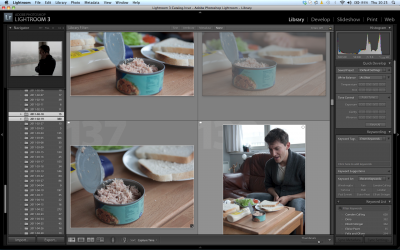
Lightroom in action - While Stocks Last
As a production stills photographer you end up shooting a lot of images in a given shoot day. Some photographers will regularly shoot over 800 images a day. These days, I generally shoot between 300 and 400 images but this will increase or decrease depending on the amount of action being shot. Its a compulsive craft, and even when I feel I’ve got “that” shot, I am usually driven to keep shooting just in case there’s something more special. The down side to this is that it generates a large amount of images which then need to be turned over to the production.
I could not do my job with out Adobe Lightroom. As much as I dislike Adobe as a company (their customer service is dire and I’ve never had a good experience with it) they make damned good software. Lightroom is just brilliant for file handling. I use it to import all of the uncompressed RAW images that I’ve shot for the day, and to quickly sort into the useful and useless images. I also use it to categorise my images into behind the scenes photos and promotional photos.
Once I’ve imported the photos into Lightroom I’ll apply the colour treatment I’m using for the project. For me the colour treatment is the intended look of the project based on my discussions with the Director of Photography on how the film is expected to look on completion. I do this by creating a “Preset” which is a collection of settings that will comprise the aesthetic look of your photos. I’ll cover this topic in greater detail in another tech article.
I’ve discussed before about the importance of delivering production stills in a timely fashion. But how exactly do you do this?
In the first instance, there should be some agreement with the production about who the stills should be provided to and when they should be provided. The “who” is usually the publicist or the producers and the “when” can vary between daily, weekly or at the end of the project. Unless advised otherwise, I like to electronically deliver a daily sampler of some of the best stills. This approach is like what happens with the “dailies” where key crew get to review some of the previous day’s footage each day for project monitoring purposes.
Electronic Delivery
So, if I’m not sending all images through on a daily basis, I’m sending at least a sample of 10-12 images. When I turn images over electronically, I do this with photos resized to around 200px on the long side (files sizes between 400-500 kilobytes). This prevents mailboxes from being clogged with large files, but delivers files big enough for viewing and for immediate use on blogs, web sites or for printing reference shots for production crew.

Dropbox - its a great file sharing service for the production stills photographer on the go.
When I’m turning over my whole day’s worth of proofs e-mail is less reliable. Many mail servers won’t accept files exceeding 10mb, not to mention that many people view most of their e-mail on mobile devices, making large files an unnecessary annoyance in people’s mailbox. Previously I used to upload zip files to my website in password protected pages which was effective but time consuming means of distributing files. Then I discovered Dropbox. Its a great facility for drag and drop uploading of the files then super easy to share with selected individuals. There is plenty of discussion regarding the merits of the Dropbox service, so I’ll finish by saying that this system has worked very nicely for me when e-mail is impractical.
Physical Delivery
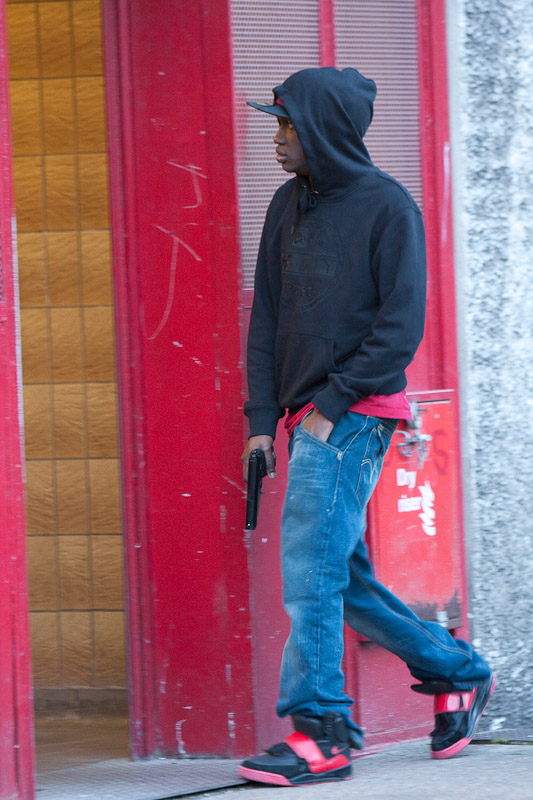
Sometimes extreme punishments are required for data loss
CDs and DVDs are obviously a great solution for delivering images to clients, and have been for years. When you’re delivering high resolution publicity stills to clients and you’re creating hundreds of images per day at 10-20mb per image you’re going to be burning through discs in no time, not to mention spending time waiting for discs to burn and if you’re anything like me, trying to make your handwriting legible on the recently burned media.
Portable hard drives are for me the best solution for turning over high resolution files. Where possible I’ll get the production to provide me with a clean fresh hard drive that can be used exclusively for the transfer of production stills. Where the budget is too tight, I’ll use one of my own portable drives for regularly transferring images to my designated contact for the duration of the shoot. Either way, the beauty of this approach is that it ensures that there are back ups of the high resolution images on my laptop, on a portable hard drive and with the designated film contact. Data redundancy is so important to the production stills photographer, and I can honestly say that this approach has saved me and productions numerous times in my career as a stills photographer.
USB Thumb Drives are also now very useful for smaller or shorter jobs. I try and stick to USB 3.0 ones these days because I’m often delivering stills on 64GB or 12GB USB drives and the transfer times can be shortened by using the fastest media possible. I also find that these drives can be acquired cheaply and quickly and their size makes them easy to keep on hand. Productions unwilling or unable to “splash” out on a USB hard drive are often more willing to accept the lower cost, especially when it saves them the time and inconvenience of returning my hard drives.
Please feel free to hit me with any comments or questions, I welcome your input (as well as any web traffic you can send my way!).


How has your process changed since this was written.
Hi Danno, Good question. I’ve just updated the article with my current practices as at November 2016. Thanks for your interest!
Hey, just finished reading all of these articles. Thank you so much for your time and some really invaluable information! Just curious, you never mention what all files you send out when you deliver. Are you sending your work as all RAW files (revised with added Look from Lightroom) or are you including added JPEG files for each as well…? Also, how long do you generally keep your own backups of your photos from a film before deleting to clear space for future films?
I tend to deliver RAW (native camera files or Adobe DNG conversions) and Jpegs. Usually the client will specify what they want and how they want the files. If not, I deliver both, if only to reduce the need for them coming back to me down the line for different versions.
As for archiving, I have a Network Attached Storage Drive (NAS) that I store all backups on and incrementally enlarge with further storage as necessary. I keep the files forever, although I have started deleting all images that I rejected during the pick/reject phase of my processing.
Hi Angus, I mainly shoot for magazines and company commercial stuff. I had a problem with Dropbox when they tried to take over my Mac. It took me ages to get it off my computer. They didn’t want to let go. I have been using We Transfer for several years now and it’s never failed me. Just thought I would mention that. Cheers Tony Timmington